BirkenBatch
A local AI-assisted batch editor, built to turn repetitive photo tasks into reusable workflows.
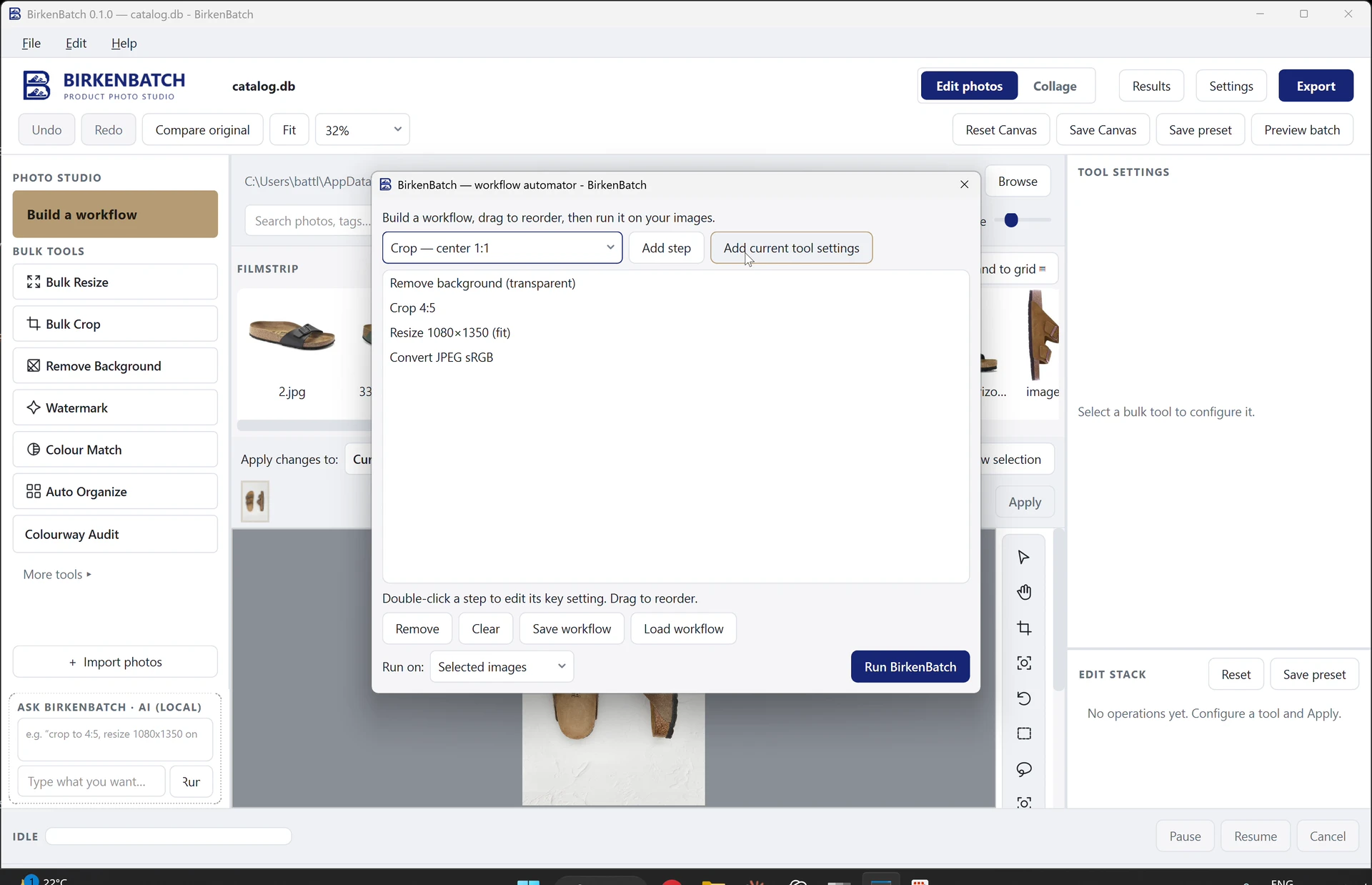
Workflow builder — still from the recording — view full image
The project
Why keep repeating the same steps across different tools?
My girlfriend, a working student at Birkenstock, was frustrated by repetitive photo edits. I built BirkenBatch to combine local AI and reusable editing recipes so she could process and review whole batches.
The problem
Cropping, resizing, removing a background or converting a file can each be a small job. Repeating the steps and switching tools between them adds interruptions to the working day.
The approach
I incorporated a local AI model and connected it with automated image-processing steps in a Python engine and PySide6 desktop interface. Background removal, cropping, resizing and conversion can be combined into a reusable recipe, then applied across selected photos. She could work through a batch together and review the results instead of rebuilding the same sequence for each file.
Quick actions, with control
A filmstrip, image preview and edit stack keep the selected files and changes together. Manual refinement is available when an automated action needs adjustment, and the original images remain intact.
Built-in AI, with review
BirkenBatch includes a local u2net model for background removal and subject segmentation. Model settings expose installed models and per-feature assignments. Uncertain AI results carry confidence and model information and go to a review queue; routine actions such as resizing and conversion remain available alongside the AI tools.
Local by design
AI inference and image processing run locally, with network access off by default. Outputs are saved separately from the originals, and the processing engine remains independent of the desktop interface.
Fewer steps between task and result.
01 / 04 — Select images
Illustrative workflowA closer look
Project documentation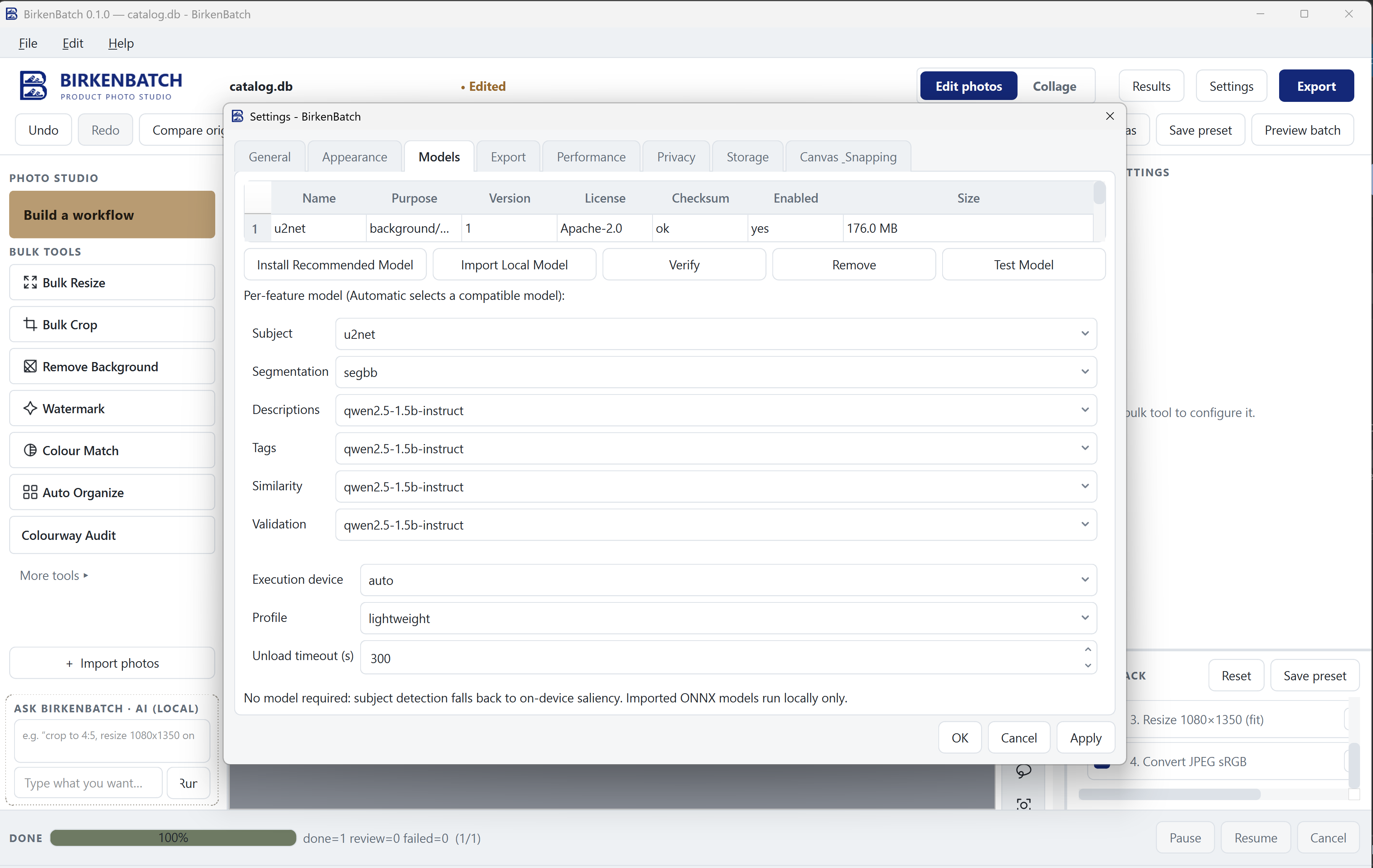
Workflow builder & result review
Project recordingA 47-second desktop walkthrough: configure background removal, cropping, resizing and JPEG conversion, run the workflow on an image, then inspect the result and its edit stack.
Reflections & next questions
A specific frustration gave the project its direction. Listening to how my girlfriend actually worked helped me focus on useful automation: combine the repeated steps, apply them across a batch, and keep the results easy to review and adjust.
Potential evolution
Directions to explore.
- Broader background and segmentation evaluation
- Expanded AI image QA
- Richer metadata generation
- Extended asset naming conventions
- Campaign format generation
- DAM integration